

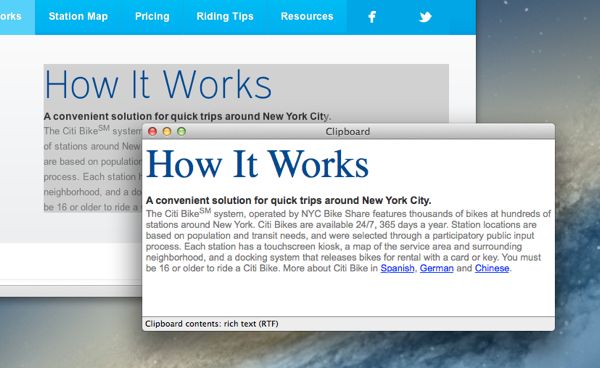

And you may even know about the “clipboard,” the virtual place in your Mac’s memory where a copied item sits before it gets pasted.
But did you know that you can take a peek at the clipboard and actually lay your eyes on what’s clipped to it?

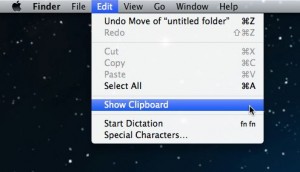
You can view whatever’s clipped to your Mac’s clipboard with help from the “Show Clipboard” command.
Here’s how…
- First, click on the desktop to bring up the Finder menu at the top of the screen.
- Click the Edit menu, then select Show Clipboard.
- A pop-up window will display whatever’s sitting on the clipboard. If you copied a string of text, you’ll see the text itself; if you copied an image, a file, or a folder, you’ll see the name of the item.
No, you can’t manipulate what’s on the clipboard, but at least you can take a gander before pressing COMMAND + V.
The “Show Clipboard” command may also come in handy if COMMAND + C isn’t copying an item quite like you were expecting it to.
Got questions? Post ’em below, or send me an email.
Click here for more Mac tips!