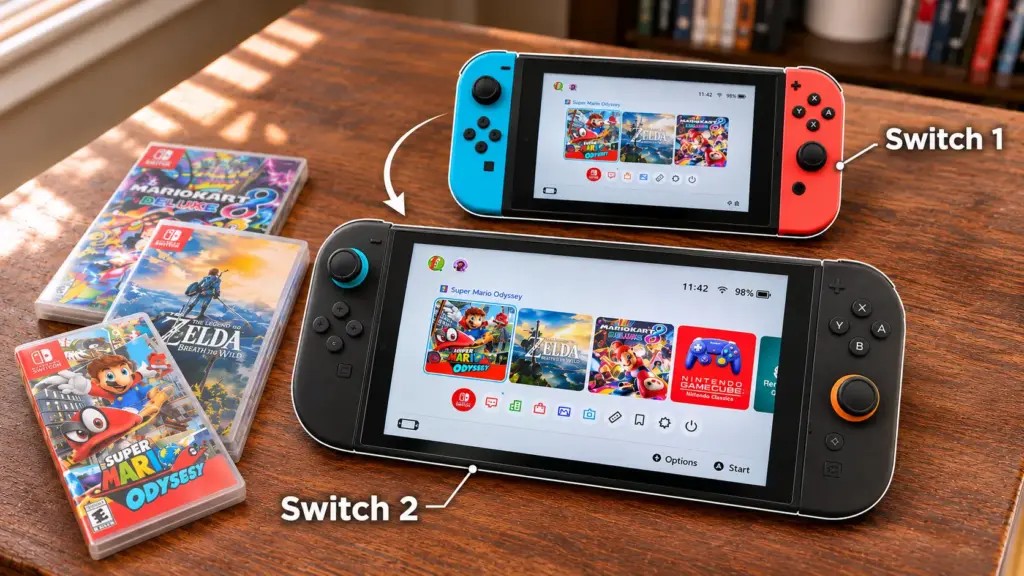
Upgrading to the Nintendo Switch 2 is exciting, especially after years of building a game collection. A new console should feel like a treat, not a gamble.
Nobody wants to leave favorites behind or lose hours of progress, and a shelf of cartridges beside a long digital library can make the decision feel bigger than it looks. My own pile of purchases gave me a moment of pause too.
So, can you play Switch 1 games on Switch 2 without starting over? A closer look at how the two consoles work together shows what that means for the collection you already own.
How Does Nintendo Switch 2 Backward Compatibility Work?
Backward compatibility means a newer console can run games made for an older system. Unlike consoles that include older hardware, Nintendo Switch 2 uses a different approach.
Nintendo developed technology that converts original Switch game data in real time as the console reads it, so compatible titles run without the original Switch hardware. This approach is why most titles carry over while a few need extra attention or a developer update.
Because the two consoles differ at the hardware level, some games behave differently. Certain titles have startup, progression, or feature-specific problems on Switch 2, while others don’t run at all.
Nintendo tests games by starting them and running limited checks, so a game that launches can still have features that don’t work correctly. Nintendo keeps testing games and works with developers and publishers to address these issues through updates.
Can You Play Switch 1 Games on Switch 2?
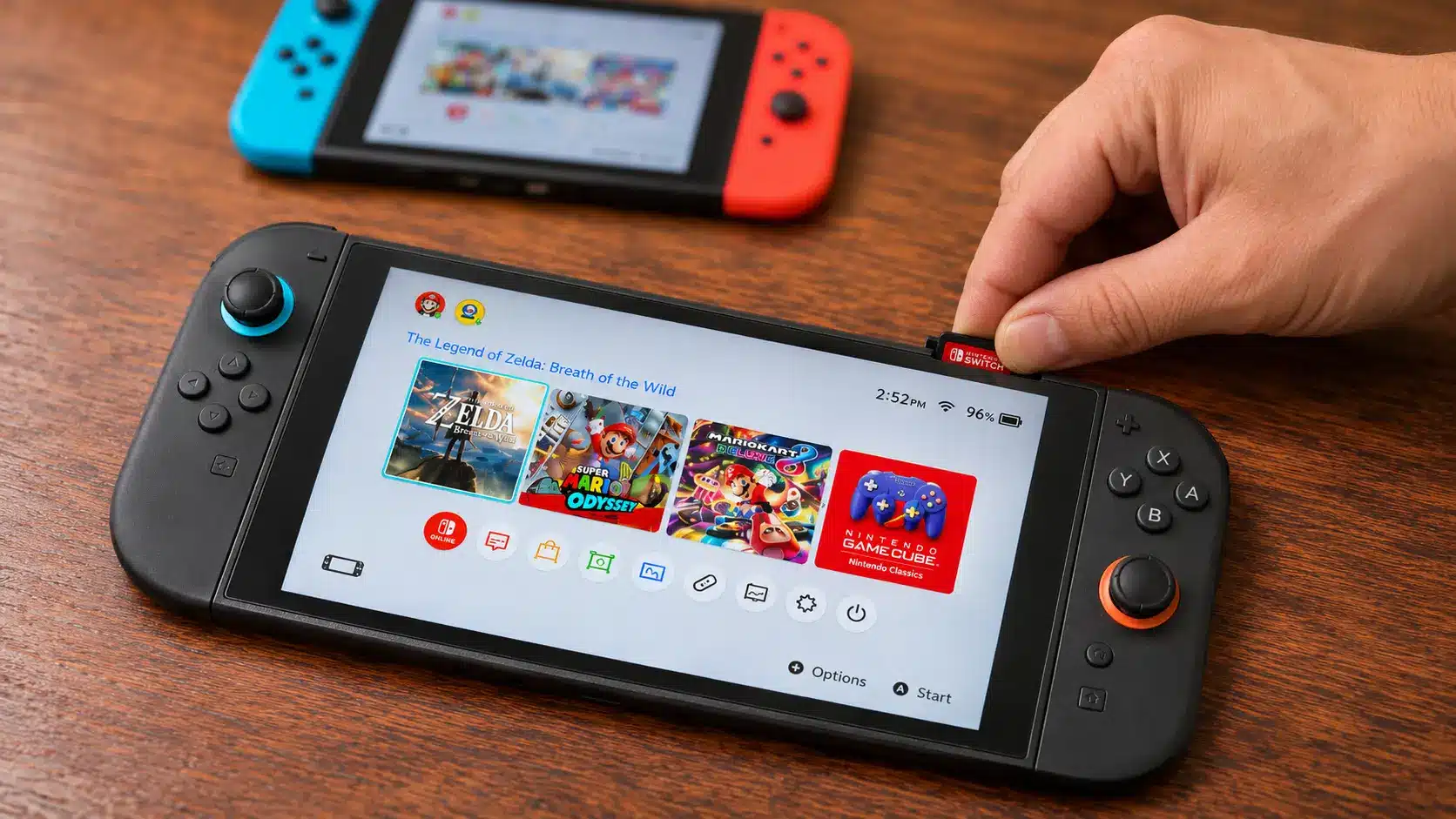
Yes, you can play most Switch 1 games on Switch 2 without buying compatible titles again, for both physical cartridges and digital purchases. Physical copies work directly, while digital copies depend on your Nintendo Account and linked consoles.
Play Physical Switch 1 Games on Switch 2
Compatible original Switch game cards fit the Switch 2 game-card slot directly. Here’s how to get started:
Step 1: Open the game-card slot at the top of your Switch 2.
Step 2: Insert your original game card. No adapter is needed.
Step 3: Install any required updates and launch the game.
Titles like The Legend of Zelda: Breath of the Wild work this way, as long as the game card stays inserted.
Play Digital Switch 1 Games on Switch 2
Digital purchases load onto Switch 2 as Virtual Game Cards, tied to your Nintendo Account.
Step 1: Sign in with the Nintendo Account linked to your purchases.
Step 2: Open Virtual Game Cards from the HOME Menu.
Step 3: Select your game and choose Load on This System.
A loaded card works offline and can be played by other profiles on that console. One Nintendo Account can use Virtual Game Cards on up to two linked consoles, but each card loads on one console at a time.
An Online License lets the purchasing account play downloaded games on additional consoles without loading a card, but it needs internet access. Other profiles can’t use it, and you can’t play one game through it on several consoles at once.
Which Switch 1 Games Don’t Work on Switch 2?
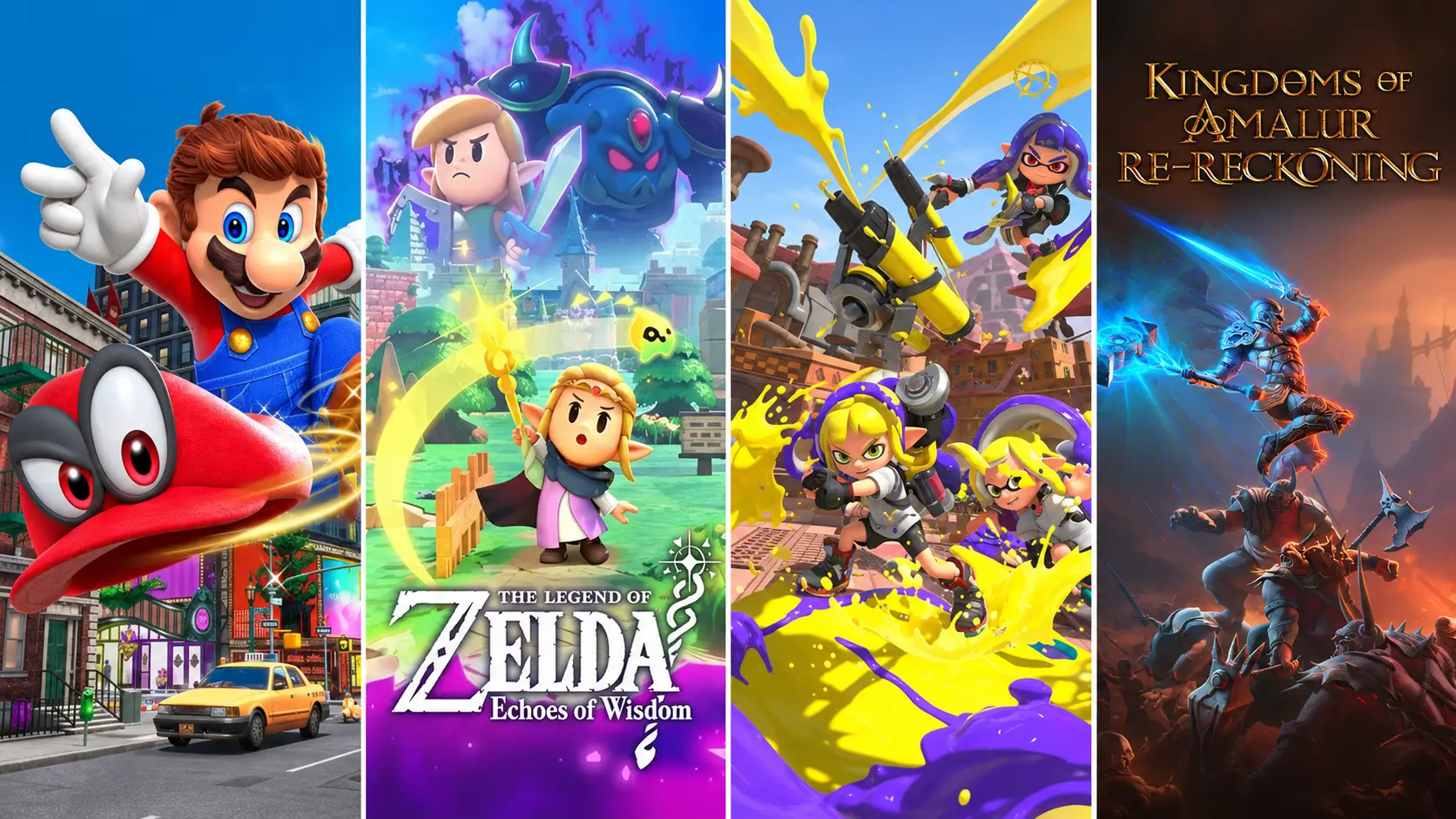
Not every Switch 1 game works the same way on Switch 2. Outcomes range from full support to games you can’t play, and the table below sorts the common situations.
Compatibility | What It Means | Game Examples |
|---|---|---|
Fully playable | The game works as expected on Switch 2. | Super Mario Odyssey, Splatoon 3, The Legend of Zelda: Breath of the Wild |
Compatibility issues | Some features or controls may not work, or technical issues may prevent the game from starting or progressing. | Varies by title |
Not supported | The game can’t be played on Switch 2. | Nintendo Labo Toy-Con 04: VR Kit, because the console doesn’t fit inside its VR goggles. |
These groupings are editorial labels, not official Nintendo categories. Nintendo’s published compatibility test summary is dated June 5, 2025, so each game’s current listing or Nintendo eShop page holds the latest status. Compatibility information can change as updates resolve issues.
Tip: Nintendo’s official compatibility information lists the current status of individual games and is worth reviewing before a purchase.
Which Switch 1 Games Require Original Joy-Con Controllers?
Some Switch 1 games need original Joy-Con controllers for specific features, not necessarily the whole game. Original Joy-Cons connect wirelessly to Switch 2.
The IR Motion Camera is a sensor on the bottom of the original right Joy-Con that detects nearby objects and movement. Joy-Con 2 controllers don’t include it.
Ring Fit Adventure: Joy-Con 2 doesn’t fit the Ring-Con or leg strap.
1-2-Switch: Minigames using the IR Motion Camera need the original right Joy-Con.
Game Builder Garage: Certain programming features use the IR Motion Camera.
Nintendo Switch Sports: Soccer Shoot-Out needs an original Joy-Con in the leg strap.
WarioWare: Move It!: Certain microgames use the IR Motion Camera.
Dr. Kawashima’s Brain Training: Finger Calculations, Finger Drills, and Rock, Paper, Scissors Test need the IR Motion Camera.
Everybody 1-2-Switch!: Joy-Con Hide & Seek is harder because Joy-Con 2 vibrates less.
The Nintendo Labo Variety Kit and Vehicle Kit have additional limits because some Toy-Con accessories can’t fit the larger Switch 2 console. The Robot Kit needs original Joy-Con since its Robot Toy-Con can’t attach to Joy-Con 2. The VR Kit isn’t playable because the Switch 2 can’t fit inside its goggles.
Important: Original Joy-Con can’t attach to or charge directly from Switch 2. A compatible charging grip, charging stand, or original console keeps them charged.
Do Switch 1 Games Run Better on Switch 2?
Some original Switch games benefit from Switch 2’s more powerful hardware, but performance varies by title. Compatible games may load faster or run more smoothly without a paid upgrade, though graphics and features may stay the same.
Some games need an update before any change appears, so results differ from one game to the next. Developers can also release free updates that improve compatibility, performance, or add support for Switch 2 features, and live service games are the usual example of a title that keeps receiving them.
Switch 2 Edition upgrade packs are separate, optional upgrades that may add sharper graphics, smoother gameplay, or extra content, and some require payment. Paid packs only apply to games that offer one.
For example, The Legend of Zelda: Breath of the Wild has a Switch 2 Edition, but the original version stays playable on Switch 2 without it. Nintendo’s Switch 2 Edition information lists available upgrades and costs.
Can You Transfer Switch 1 Save Data and DLC to Switch 2?
Yes, you can move supported save data to Switch 2, and compatible DLC stays accessible through the Nintendo Account that bought it. Game software and save files are separate, so downloading a game doesn’t move its save data.
System Transfer appears during initial Switch 2 setup and moves supported user information, purchases, settings, and save data from the original console.
Local transfer: Moves data between nearby consoles. Both require internet, but not a Nintendo Switch Online membership.
Server-based transfer: Uploads data to Nintendo’s server, then initializes the original console.
Cloud saves: Require Nintendo Switch Online and a game supporting Save Data Cloud.
DLC and add-ons: Access them through the Nintendo Account that purchased them.
Important: In a local transfer, saves that support Save Data Cloud for linked accounts stay on the original Switch, while other saves may be removed. Nintendo’s official transfer instructions cover both methods and apply before an original console is sold or reset.
Final Words
Moving to new hardware always comes with a few loose ends. Mine usually end up on a sticky note by the console, somewhere between charging cables and a stack of game cards, waiting for a quiet evening.
So, can you play Switch 1 games on Switch 2 and carry on as usual? A few quick checks around controllers, licenses, and saved progress keep the move relaxed, and nobody wants a surprise on the first night with new hardware.
They also leave more time for the games themselves while the old console is still within reach, and that is usually the best part of any upgrade.
Frequently Asked Questions
Can you play Switch 2 games on Switch 1?
No, games built only for Switch 2 can’t run on the original Switch. Some titles are released on both systems, with a separate Switch 2 Edition adding extra features. The original version plays on the older console.
Can you still use Nintendo Switch Online on Switch 2?
Yes, your Nintendo Switch Online membership is linked to your Nintendo Account, so it carries over. Online multiplayer and cloud saves keep working. GameChat and the Nintendo GameCube library, which needs the Expansion Pack, are exclusive to Switch 2.
Can you keep using your original Switch after getting Switch 2?
Yes, both consoles can share one Nintendo Account. A server-based transfer resets the original console, while a local transfer may remove certain saves from it, so using both regularly calls for reviewing Virtual Game Card and save-data options first.
Can original Switch games run without an internet connection?
Yes. Compatible physical game cards run offline unless the game itself needs a connection. Loaded Virtual Game Cards also work offline, but an Online License requires an active internet connection, and Nintendo periodically checks if the software can be played.