

Nothing ruins an online game faster than delayed reactions, missed shots, or seeing your opponent move before your actions register. A poor connection can turn an exciting match into a frustrating experience.
Having insight into what is a good ping for gaming helps players improve responsiveness, reduce lag, and enjoy smoother gameplay.
Low ping can make movements feel faster, improve accuracy, and give competitive players a better chance during important moments.
With years of gaming coverage and hands-on experience across different platforms, this walkthrough shares practical tips to improve connection performance.
Get a clearer picture of gaming ping, including ideal response times, the reasons for high ping, and simple adjustments to improve responsiveness.
What is Ping in Gaming?
Ping is the time it takes for data to travel from your gaming device to the game server and back, measured in milliseconds (ms).
A lower ping means faster response and a smoother gaming experience. Every time you press a button, move your character, or perform an action, your device sends that information to the game server.
The server processes the request and sends the result back to your device, and the total time for this round trip is your ping.
Lower numbers indicate a faster connection, so commands register quickly with minimal delay. High ping causes lag, where actions feel delayed.
How Ping Affects Gameplay?

Ping directly shapes how a game feels to play. When latency climbs, the gap between an action and its result on screen becomes impossible to ignore, especially in games built around split-second timing.
- Input Delay: High ping causes delayed responses, making actions like shooting, jumping, and dodging feel slower.
- Getting Hit Behind Cover: Delayed server updates can make players take damage even after moving behind cover.
- Rubber-Banding: Unstable data connections cause characters to teleport, snap back, or move unevenly across the map.
- Desync and Failed Registrations: Late or missing data can cause shots, abilities, or actions to fail unexpectedly.
Console Tip: Having spent considerable time testing across PS5, Xbox, and Switch, one lesson holds true everywhere, competitive titles reward a wired connection far more than any in-game graphics setting, and a controller free of stick drift matters just as much for split-second reactions.
What is a Good Ping for Gaming?
A good gaming ping keeps your connection responsive and reduces noticeable delays. In general, lower ping provides smoother gameplay, especially in fast-paced or competitive online games.
| Ping Range | Rating | Gaming Experience |
|---|---|---|
| 0 to 20 ms | Excellent | Near-instant response, ideal for competitive FPS, fighting games, and esports. |
| 20 to 50 ms | Very Good | Smooth, responsive gameplay suitable for most casual and competitive online games. |
| 50 to 100 ms | Playable | Slight delays may appear, but most games remain comfortably playable. |
| 100 to 150 ms | Increased Lag | Noticeable delays can affect aiming, movement, and fast reactions. |
| Above 150 ms | Poor | Major lag may cause rubber-banding, missed inputs, and unresponsive gameplay. |
Competitive players usually prefer even lower ping because every millisecond can affect performance.
Factors That Cause High Ping and Their Solutions
From physical distance to network traffic, several hidden factors quietly push gaming ping higher without warning. Understanding these causes gives players a clear starting point for building a stable, low-lag connection setup.
1. Distance From the Game Server
Ping is shaped heavily by geography. When a device connects to a server sitting across a country or continent, data travels a much longer physical path, which naturally pushes round-trip time upward.
This explains why overseas servers often feel sluggish even on fast internet plans. Picking a server closer to home shortens that distance, giving data less ground to cover and helping ping settle into a more competitive range.
| Solution: Selecting a server closer to your location reduces the distance data travels, helping lower ping. |
Tip: Having spent years hopping between regional servers for reviews, the difference a single hop makes is hard to overstate; switching to the nearest data center can shave off 30-40ms without touching a single setting elsewhere.
2. Network Congestion
A home network rarely serves just one device, and gaming traffic often competes for bandwidth. Streaming, large downloads, cloud backups, and other connected devices can pull resources away from a match, increasing latency during busy hours.
This shared load is one of the most common reasons ping spikes unexpectedly mid-game. Pausing background downloads, disconnecting unused devices, or enabling Quality of Service settings helps gaming traffic get priority, keeping ping steady.
| Solution: Reduce network congestion by pausing downloads, uploads, streaming, and cloud backups while gaming. Disconnect unnecessary devices or use Quality of Service settings to prioritize gaming traffic. |
3. Wi-Fi Connection Issues
Wireless signals are far more fragile than a wired link, and everyday obstacles quietly disrupt them. Thick walls, microwaves, and neighboring wireless networks create interference that weakens signal strength and makes ping readings inconsistent.
This is why the same game can feel smooth one moment and choppy the next on Wi-Fi. Running an Ethernet cable directly from the router to the gaming device removes most of this interference, delivering a steadier, more predictable connection.
| Solution: Connecting your gaming device directly to the router with an Ethernet cable reduces interference and provides a more stable connection. |
From Experience: Testing dozens of routers over the years has shown that even premium Wi-Fi struggles to match a basic Ethernet cable for consistency, a cheap cable often outperforms a flagship router on ping stability alone.
4. Router and Hardware Problems
Not every slowdown comes from the internet plan itself; sometimes the hardware handling the connection is the real bottleneck.
Older routers, outdated firmware, or budget equipment can struggle to manage the demands of modern online games, especially when several devices share the same network.
This creates delays that feel like poor internet even when speeds are fine. Enabling Quality of Service, updating firmware, positioning the router well, and disconnecting idle devices keeps hardware ready for gaming demands.
| Solution: Enable quality of service, update the router firmware, position the router properly, and disconnect unnecessary devices to improve network performance. |
5. Game Server Performance
High ping does not always point to a problem on the player’s end. Busy game servers, scheduled maintenance, poor server-side routing, or backend issues can raise latency regardless of how strong a personal connection is.
Server overload during peak hours or major game launches often causes widespread ping spikes that affect every player at once.
When a connection tests fine elsewhere, the server itself is usually responsible, and waiting it out or switching regions is often the only fix.
This is also a common concern for cloud gaming services, where server load directly shapes response times.
Reddit Discussions on High Ping
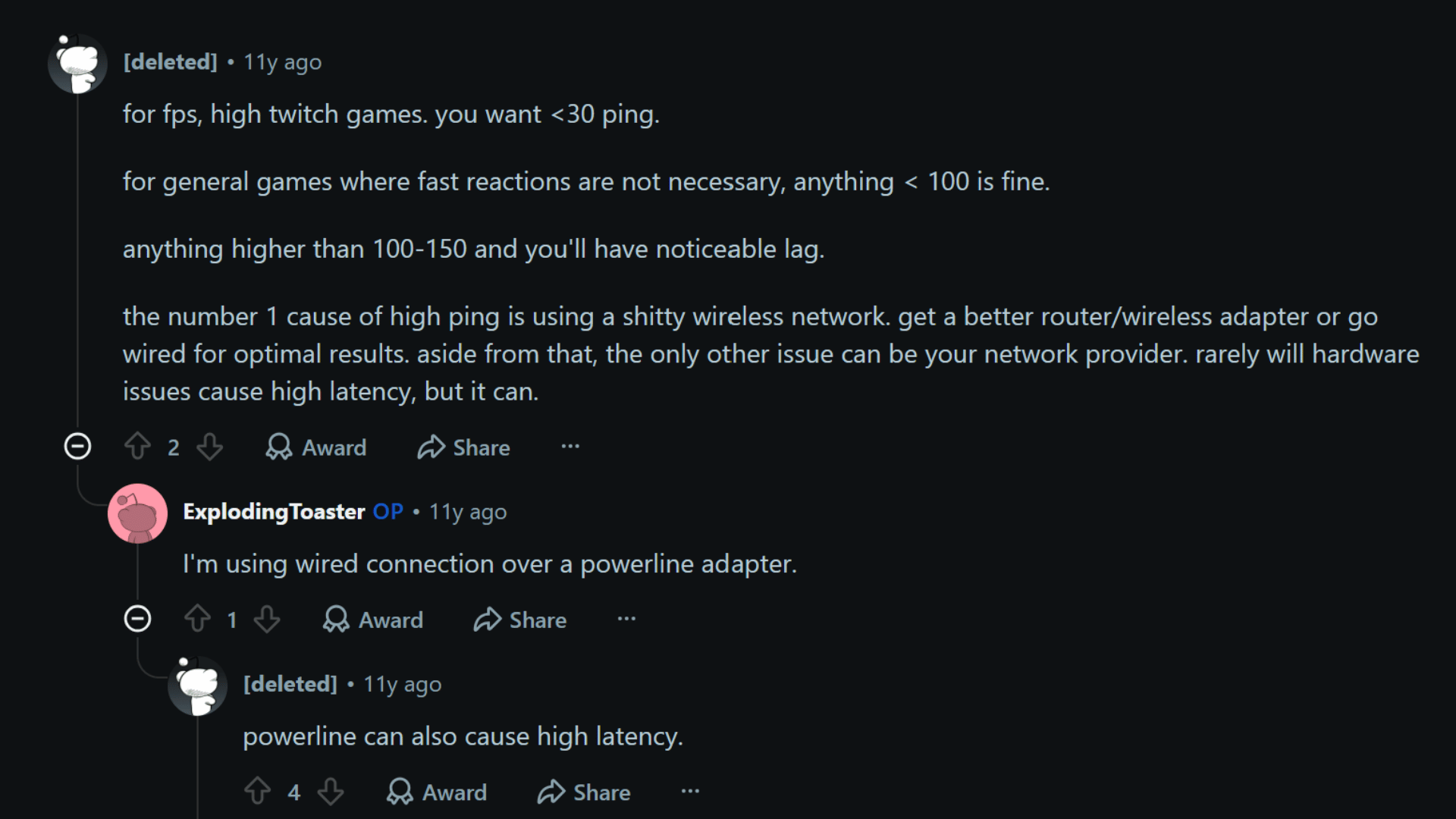

Reddit discussions explain that ideal ping depends on the game. Fast-paced FPS titles, similar to tuning Fortnite settings for better aim, work best below 30 ms, while less competitive games can remain playable under 100 ms
Ping above 100–150 ms may cause noticeable lag. They also point to weak Wi-Fi as a common issue and recommend better networking hardware or a wired connection, while noting powerline adapters may add latency.
Microsoft discussions on high ping are influenced by more than internet speed. Server distance, Wi-Fi interference, background apps, and network congestion can all raise latency.
Several users recommend switching to Ethernet for a more stable connection, reducing other devices on the network, closing unused apps, and choosing nearby game servers. Around 40 to 50 ms is generally considered good.
Which Games Need the Lowest Ping?
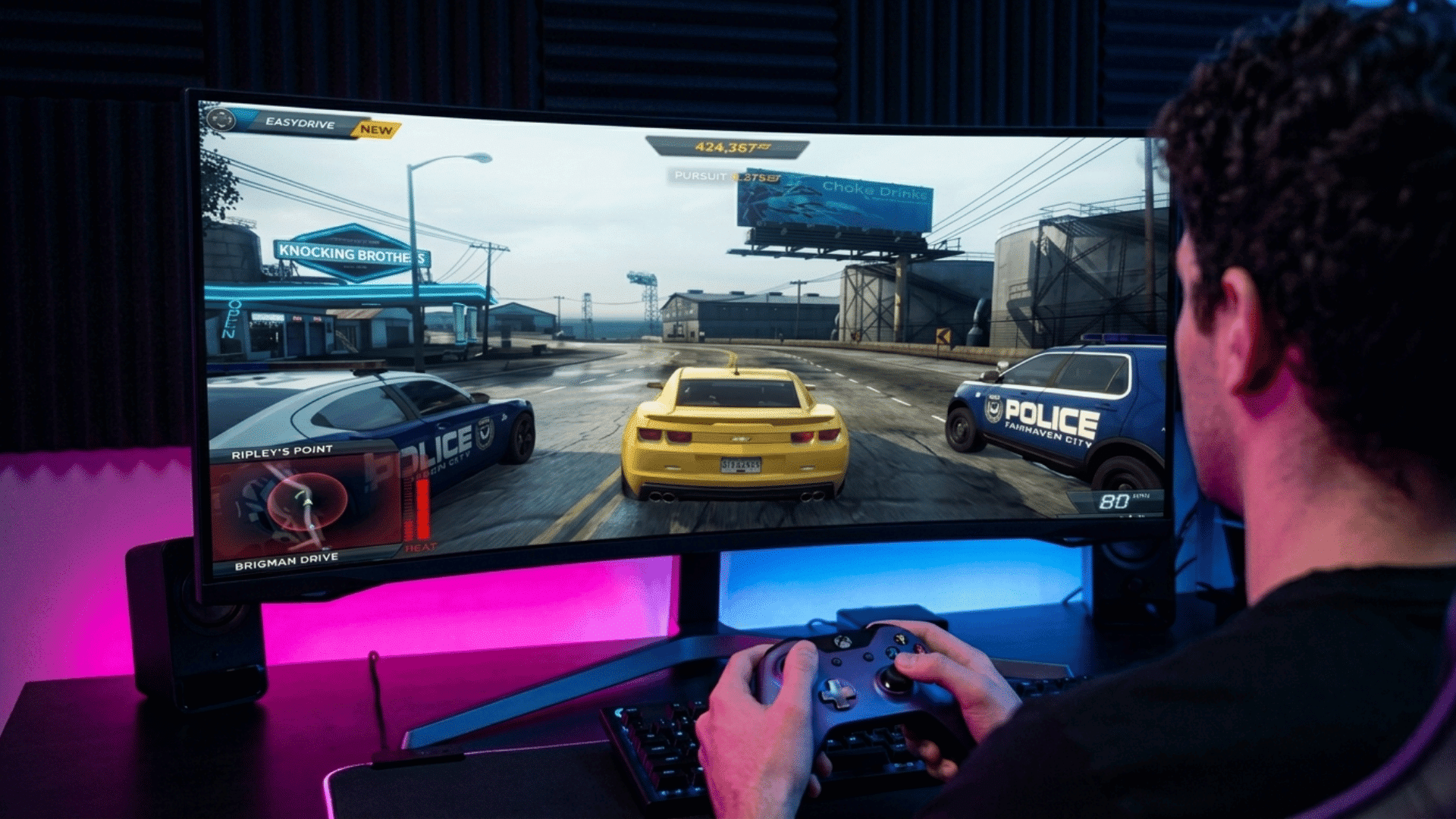

Not every game demands a lightning-fast connection. Ping requirements vary widely by genre, from split-second competitive shooters to sprawling MMOs.
Here’s what each gaming scenario actually needs:
| Game Type | Recommended Ping | What It Means |
|---|---|---|
| Battles and Tournaments | 10 ms or lower | Ideal for fast reactions and split-second decisions in competitive matches. |
| First-Person Shooter (FPS) | 20 to 50 ms | Helps with aiming, movement, and faster response times. |
| Racing | 20 to 50 ms | Supports smoother controls and more accurate timing during races, much like dialing in Rocket League settings for precision. |
| Real-Time Strategy (RTS) | Under 150 ms | Under 100 ms generally provides a smoother experience. |
| Massively Multiplayer Online (MMO) | 150 to 250 ms | Going above 200 ms may lead to noticeable lag. |
Is High Ping Good or Bad for Gaming?
No, high ping is generally considered bad for gaming because it creates delays between your actions and what happens on screen.
For competitive games, high ping can put players at a disadvantage because opponents with lower ping may see and react faster.
Problems caused by high ping include:
Input delay
Lag spikes
Poor synchronization
Rubber banding
Connection interruptions
Reducing high ping can help create a smoother gaming experience with faster responses and more consistent gameplay.
Ping vs Latency: What Is the Difference?
Ping and latency are often used interchangeably in gaming, but they refer to slightly different aspects of a network connection.
The table below explains the key differences:
| Feature | Ping | Latency |
|---|---|---|
| Meaning | Measures the time data takes to travel to the server and back. | Measures the overall delay in data communication. |
| Measurement | Shown in milliseconds (ms). | Measured in milliseconds (ms). |
| Gaming Role | Shows connection responsiveness during gameplay. | Affects how quickly actions appear on screen. |
| Lower Value | Means faster responses and less lag. | Means smoother and more responsive gameplay. |
How to Check Your Ping While Gaming

Monitoring your ping during gameplay helps you identify connection issues and determine whether delays come from your network or the game server.
- Use In-Game Ping Displays: Many online games display real-time ping information during matches, allowing players to monitor connection performance.
- Use Ping Testing Tools: Online ping tests measure response times and help identify whether high latency is caused by your connection or the server.
- Test Your Connection at Different Times: Checking ping at different times can reveal whether network congestion is affecting gaming performance.
Regular ping checks help maintain a stable connection and improve your overall gaming experience.
Final Thought
A reliable connection can make the difference between frustrating delays and smooth, responsive gameplay.
Knowing what a good ping for gaming is helps players understand how latency affects reactions, movement, and overall performance.
With years of experience covering games across consoles, PCs, and handhelds, real-world testing shows that even small improvements in connection quality can enhance the way games feel and respond.
Keep your setup optimized, choose the right connection, and reduce unnecessary lag for a better gaming experience. Take a few simple steps today to improve your ping and enjoy more consistent gameplay.
Have you experienced high ping while gaming? Share your tips and experiences in the comments below.
Frequently Asked Questions
Does FPS Affect How Much Ping Matters in Gaming?
Yes, ping and FPS affect different parts of gameplay. Higher FPS improves visual smoothness, while lower ping improves response time between your actions and the server.
Can a Gaming VPN Improve Ping?
A gaming VPN may reduce ping in some cases by creating a more direct route to the game server. However, it can also increase latency depending on the VPN server location.
What is a Good Ping for Gaming on PS5?
A good ping on PS5 is generally 50 ms or lower for smooth gameplay. Competitive players often aim for 20 ms or below for faster reactions and minimal lag.


